


Let's be honest: nobody started a business for the joy of quarterly updates.
But Making Tax Digital for Income Tax is here, and it's spreading. So if you're going to keep digital records anyway, you may as well get something out of them besides compliance.
A quick note: we're a creative and digital agency, not accountants. This is about making your admin easier. For advice on your own tax position, speak to your accountant or check GOV.UK.
Where things stand
According to HMRC:
- It has applied since April 2026 to sole traders and landlords with qualifying income over £50,000.
- It extends to those with qualifying income over £30,000 from April 2027.
- More than 436,000 people had submitted their first quarterly update by August 2026.
- No penalty points are issued for late quarterly updates in the 2026 to 2027 tax year. From 6 April 2027, each missed quarterly deadline earns a point, and four points trigger a £200 fixed penalty.
So if you're in the £30,000 to £50,000 group, there's still time to set this up calmly, rather than in a panic next March.
The mindset shift
Treated as a chore, Making Tax Digital is four extra deadlines a year. But the same requirement means your income and expenses now need to be in digital form, and that's the raw material for useful automation.
Once your numbers are in one place, they can answer questions and trigger actions, not just sit waiting for HMRC.
Five things worth connecting
1. Your invoices and your books
If you're typing invoices from one place into another, that's the first thing to fix. Raise them in, or connect them to, your accounting software so the income is recorded as it's billed.
2. Your receipts
Photographing a receipt and letting software read it beats a shoebox every time. ExpertSure estimates bookkeeping and invoice AI tools at £20 to £150 a month, so check what's already included with your package before adding anything. It's still worth checking what the software extracted, particularly the dates and amounts.
3. Your bank feed
Most accounting software can pull in bank transactions automatically, leaving you to confirm what they are. That's a far nicer job than building it all up from statements the night before the deadline.
4. Your reminders
Automate both sides. Set reminders for your own quarterly dates, and set up reminders for customers who owe you money. Government figures show businesses that spent staff time chasing late payments averaged 86 hours a year. That's a far better target for automation than the tax return itself.
5. Your sales tools
This is where the bigger gains are. If your website enquiries, bookings or shop orders flow straight into your records, you save on data entry and get a clearer picture of how the business is doing. How that's done depends on your systems, and it's usually where a little specialist help pays off.
What's in it for you beyond compliance
Up-to-date figures can tell you things a once-a-year return never will:
- which months are quiet, so you can plan marketing ahead of them
- which services actually make money
- who always pays late
- whether you can afford that van, hire or website
You can also ask AI tools to explain your numbers in plain English. Do be careful about what you paste into them, though. Financial records are sensitive, so check how a tool handles your data first, and don't treat what it says as tax advice.
Before you buy any software
Make sure of three things.
- It's on HMRC's list. Quarterly updates must go through compatible software, and HMRC publishes a list of products on GOV.UK.
- Your accountant can work with it. A quick conversation now can save a lot of pain later.
- It connects to what you already use. Ask specifically about your bank, your invoicing and your website or shop. "Integrates with everything" isn't an answer.
If you're also running a team
Making Tax Digital is the push. The same thinking works anywhere that information moves between systems and people. Our own example is the Just Creative People Client Portal, where agreements, stage approvals, payments and project progress sit in one place, rather than being scattered across emails and spreadsheets. You may not need anything so bespoke, but do ask yourself the same question we did: how many times does the same piece of information get typed, and by whom?
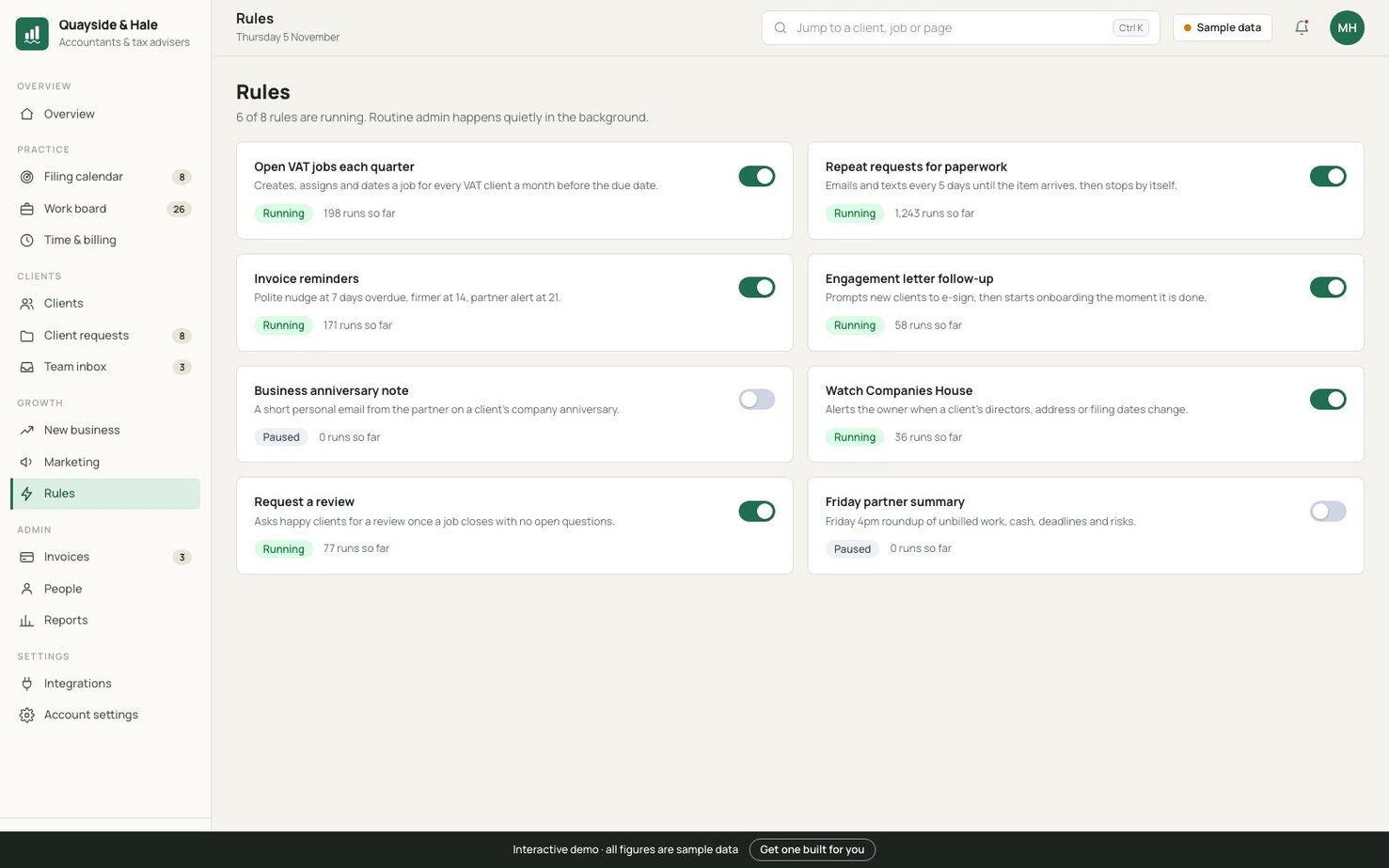
If you run an accountancy practice, our accountancy dashboard demo shows where this can go. Automation rules open VAT jobs, chase missing paperwork and send invoice reminders in the background.
A simple plan
This week: check whether you're in scope and when. Talk to your accountant if you're not sure.
This month: choose your software, connect your bank and start recording digitally.
This quarter: automate your invoices and reminders.
Next: look at connecting your website, bookings or shop, and start using your numbers to make decisions.
Compliance is compulsory. The savings are optional, but since you've had to do most of the groundwork anyway, you might as well collect them.
Want your systems to do more of the work? Book a free 20-minute chat.See our AI & automation service
Contact us →